






















Sharing Homework and Marks with Google Classroom
See an overview of Elemental's Google Classroom integration
Applies to: Google Accounts|
Google AccountsAdmins
Teachers
Elemental connects with Google Classroom to enable the following:
- Students and teachers to sign in with their existing Google accounts
- Teachers to view and assign homework to their Google Classroom classes
- Teachers to post homework instructions to students in Google Classroom
- Students to start homework from links within Google Classroom
- Teachers to send marks for students to review in Google Classroom
This guide provides an overview of this integration.
Overview
- 1
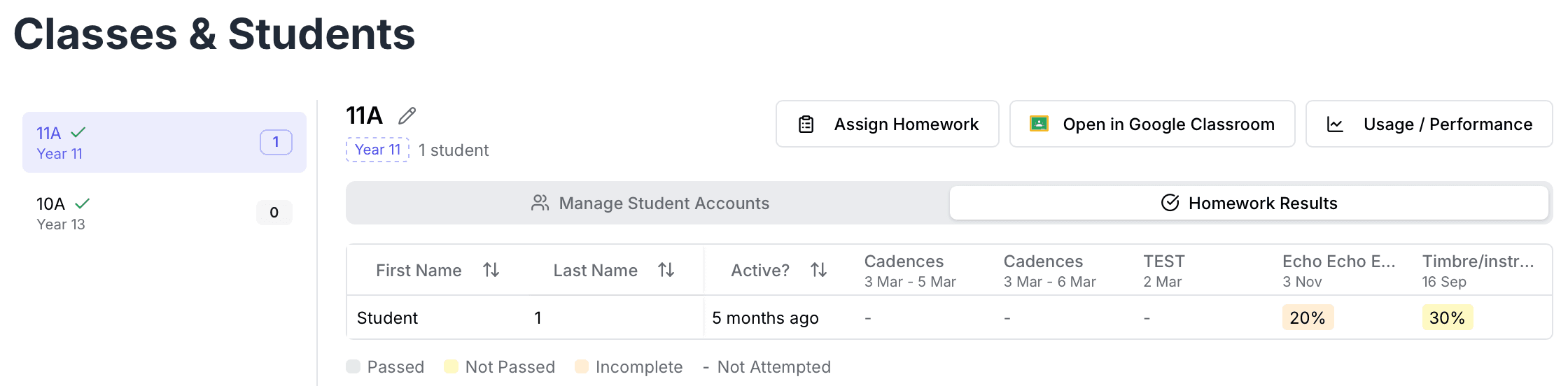
Assign Homework
Elemental will automatically show your Google Classroom classes, allowing you to select these classes when assigning homework.
- 2
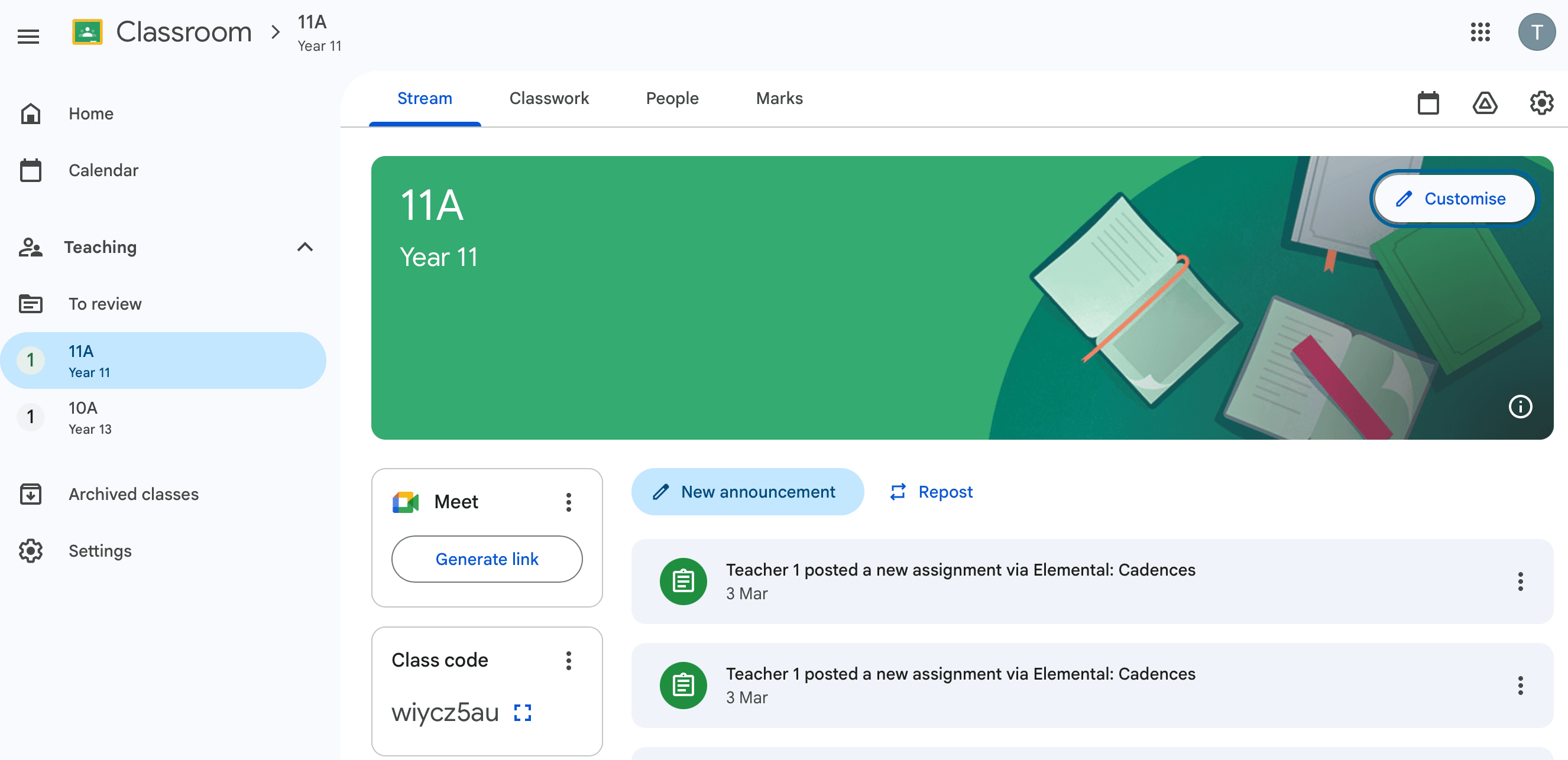
View Homework in Google Classroom
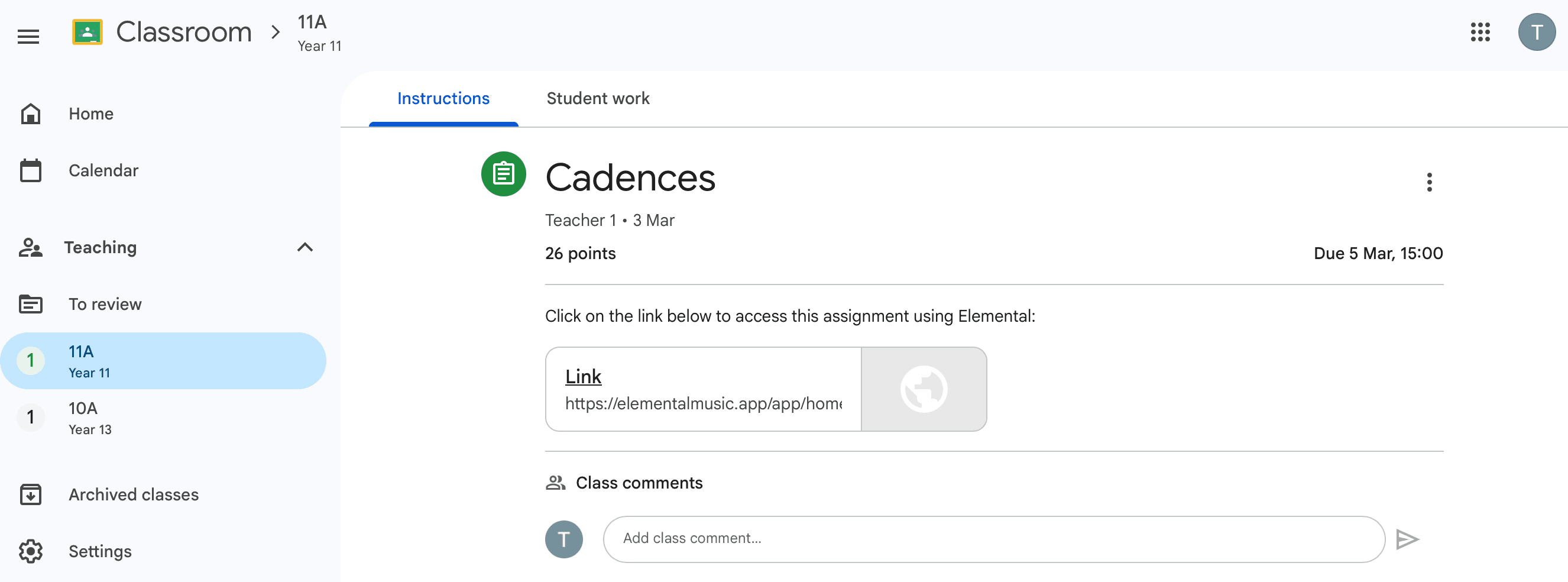
Homework will be added to Google Classroom automatically.
- 3
Preview the Student View in Google Classroom
The assignment includes a link to start the quiz in Elemental. Students will be able to sign in to Elemental using their school Google accounts.
- 4
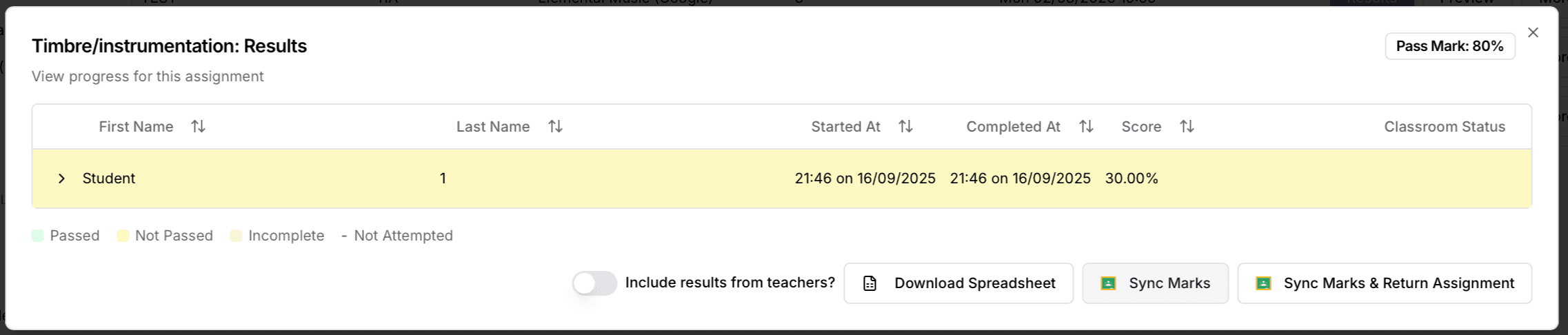
View Homework Results in Elemental
Last updated: 14 Apr 2026
homework
marks
Have a question?