
Resetting a Forgotten Password
Reset the password for an account that signs in with an email address and password
If you sign in with an email address and a password and you cannot remember it, you can reset it yourself from the sign-in screen. We email you a reset code, then you choose a new password.
This applies to accounts that sign in with an email address and password. If you sign in with Google, Microsoft or Apple, your password is managed by that provider and you will need to reset it with them instead.
Prerequisites
- An Elemental account that signs in with an email address and password
- Access to the emails for that address
On the Website
- 1
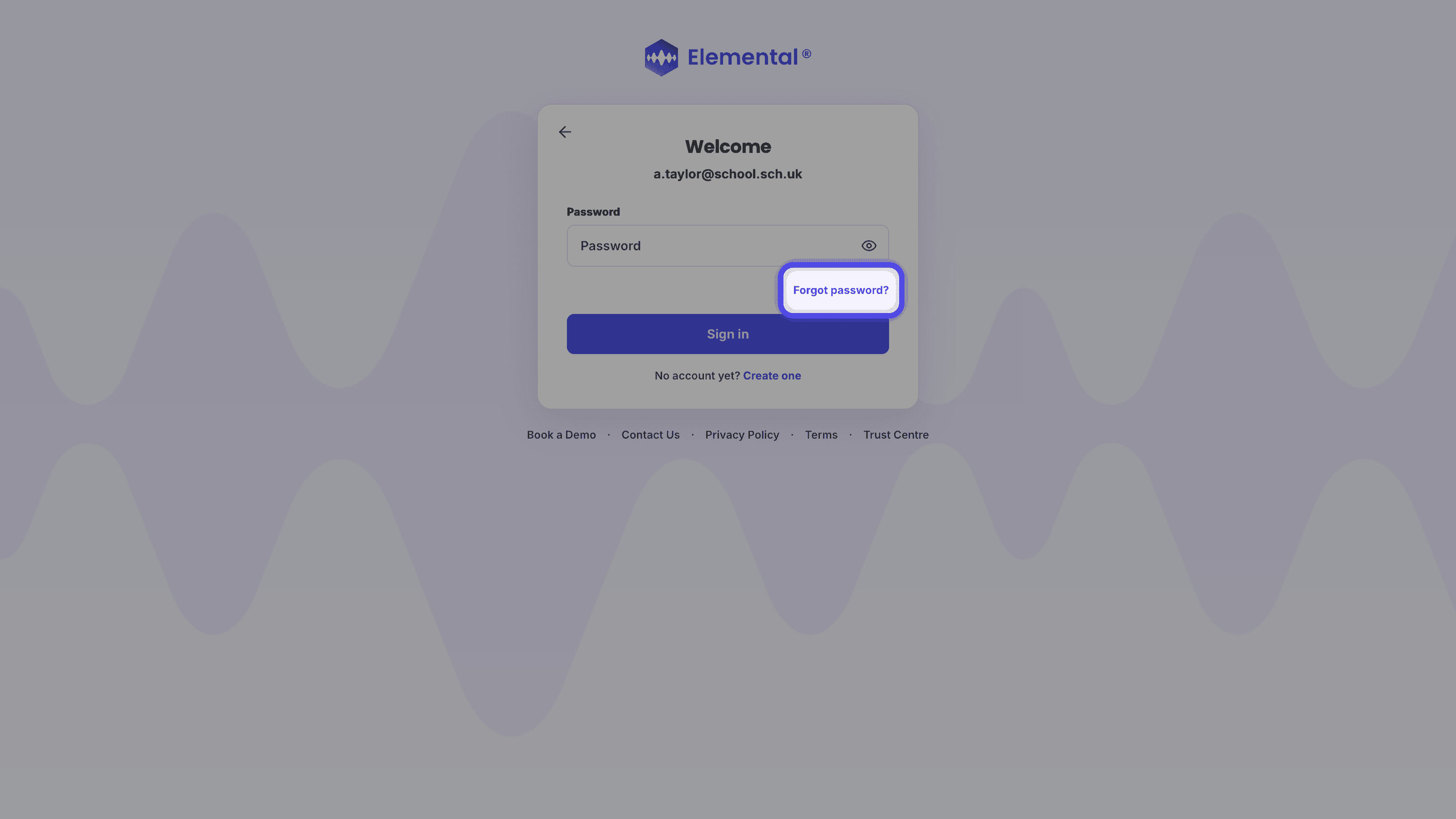
Choose Forgot Password
Open the sign-in pageOpen the sign-in page, enter your email address and select Continue. On the next screen, select Forgot password?.
- 2
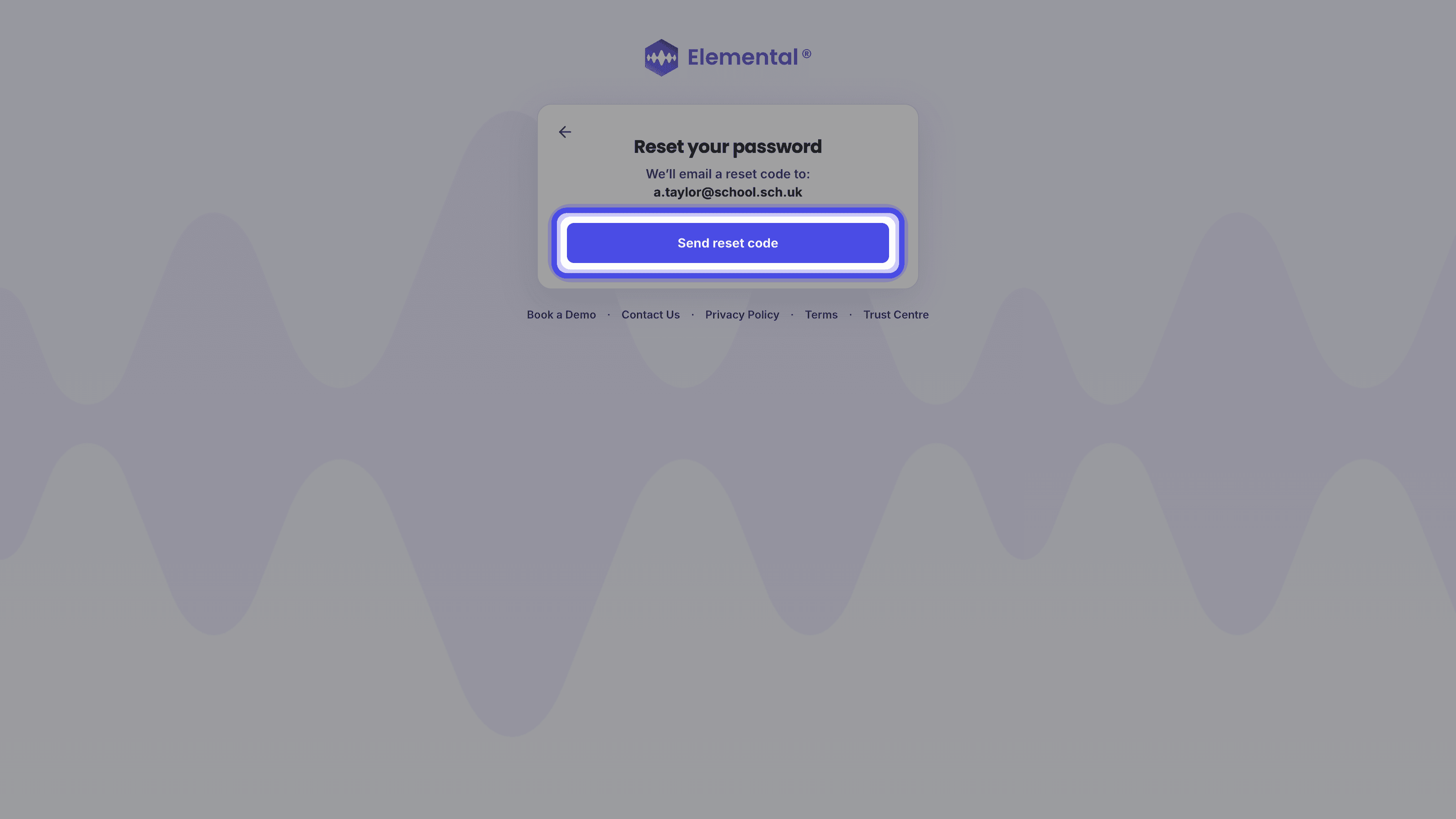
Request a Reset Code
On the Reset your password screen, select Send reset code. We will email a reset code to your address.
- 3
Choose a New Password
On the Choose a new password screen, enter the Reset code from the email and a New password of at least 12 characters (with at least one lower case letter), then select Update password. The email will be sent by support@elementalmusic.app. If it does not arrive, please check your junk / spam folders and then contact us for support.
In the Mobile App
- 1
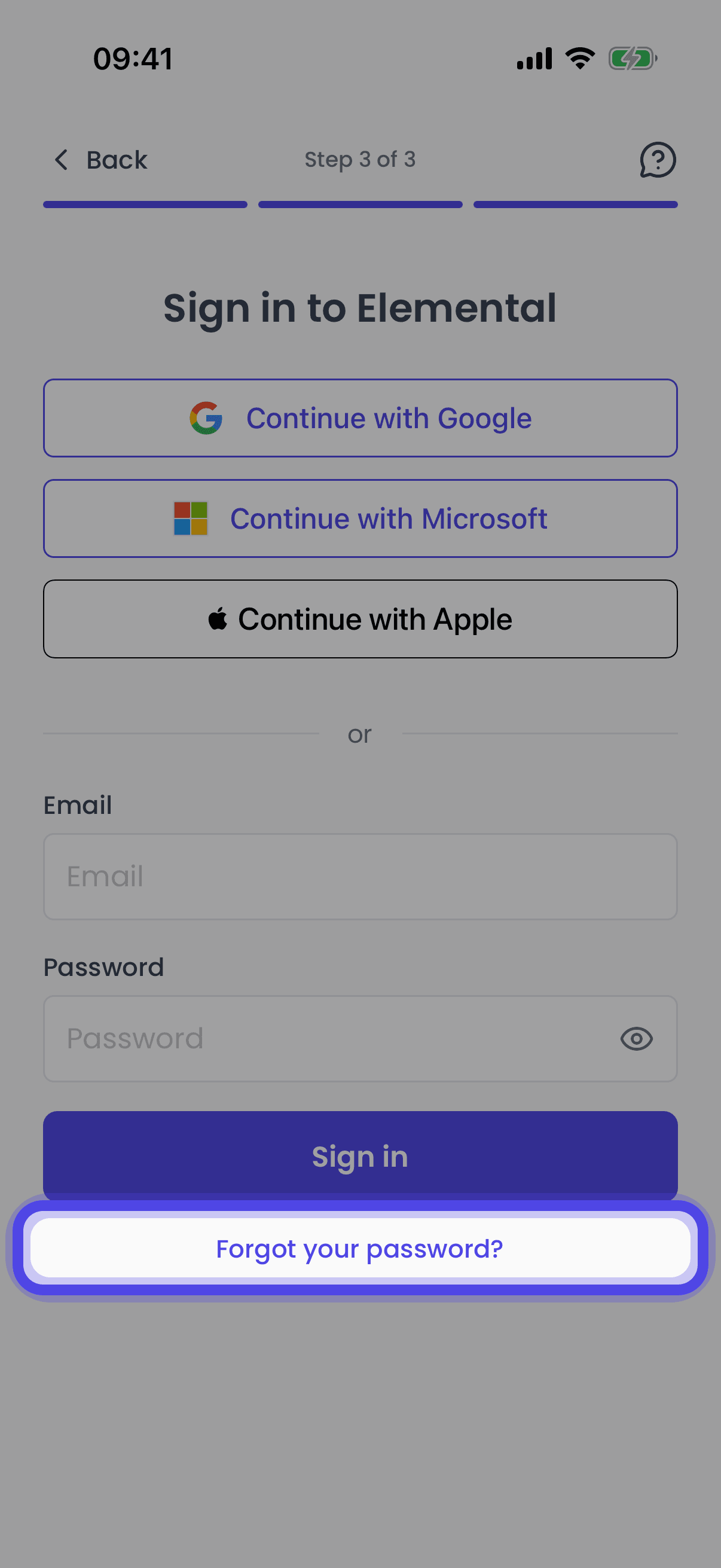
Tap Forgot Your Password
On the sign-in screen, tap Forgot your password?.
- 2
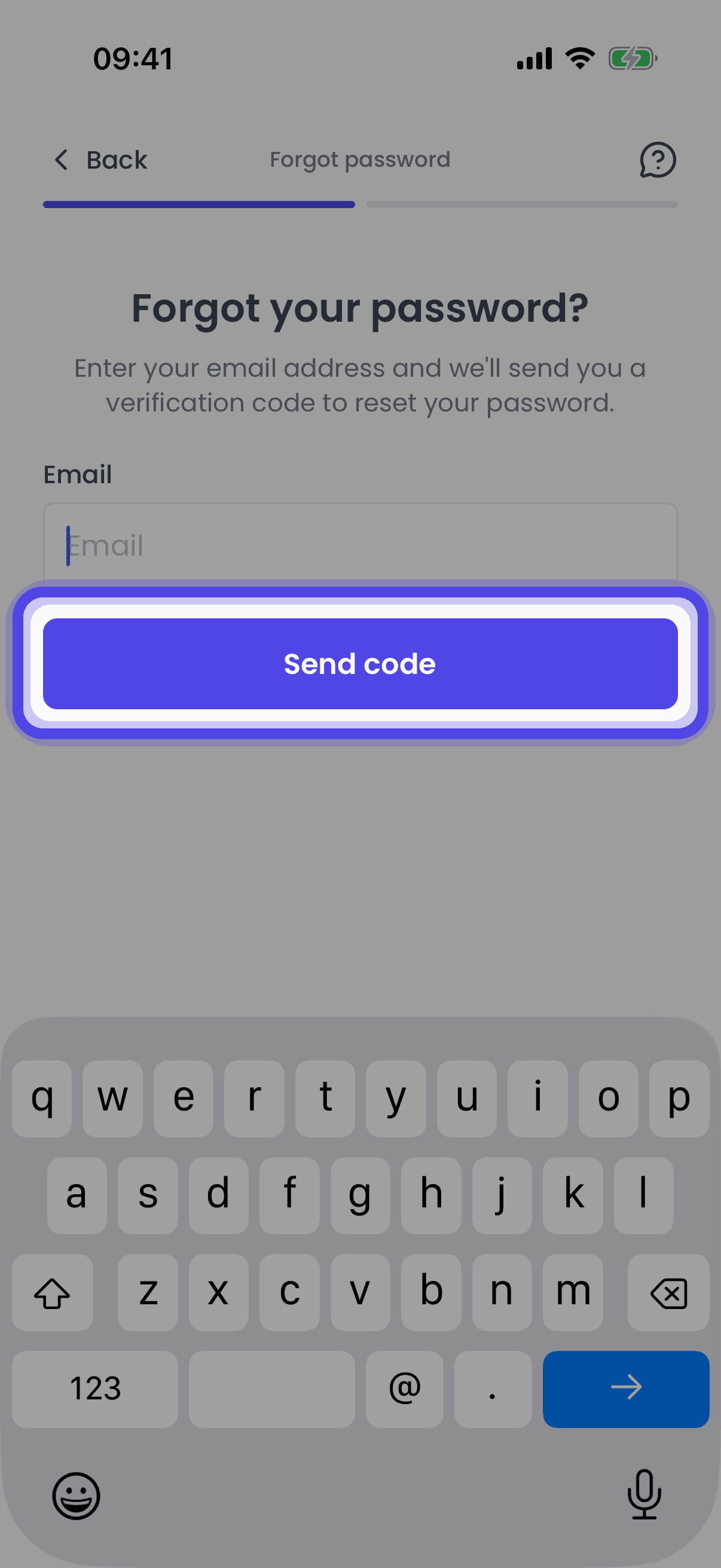
Request a Reset Code
Enter your email address and tap Send code. We will email a reset code to your address.
- 3
Choose a New Password
Enter the Verification code from the email and a New password of at least 12 characters (with at least one lower case letter), then tap Reset password.
Troubleshooting
The Reset Email Has Not Arrived
The email is sent by support@elementalmusic.app. Check your junk / spam folders first, then request another code. If it still does not arrive, contact us for support.
You Are Sent to Google or Microsoft Instead
This means your account signs in with that provider rather than a password, so there is no Elemental password to reset. Sign in with the provider instead.
You Are a Student
If your school set up your account, ask your teacher as they can reset your password for you.
Related Articles
Sign in to Elemental with your email address and password on the website or in the mobile app
Signing in with GoogleSign in to Elemental with your Google account on the website or in the mobile app
Signing in with MicrosoftSign in to Elemental with your Microsoft account on the website or in the mobile app
Last updated: 12 Sep 2026